Safe Roads Challenge

SEPTEMBER 14 – NOVEMBER 8, 2026

Smart Driving College Challenge

Get ready, Orange County!
Four colleges. One challenge. Download the free Safe Roads Challenge app, join your team, drive safe, and help your school take the title.

Advent Health University:
AHUDRIVE

University of Central Florida:
UCFDRIVE

Full Sail University:
FSUDRIVE

Valencia College:
VCDRIVE

Join Your Team to Access Rewards

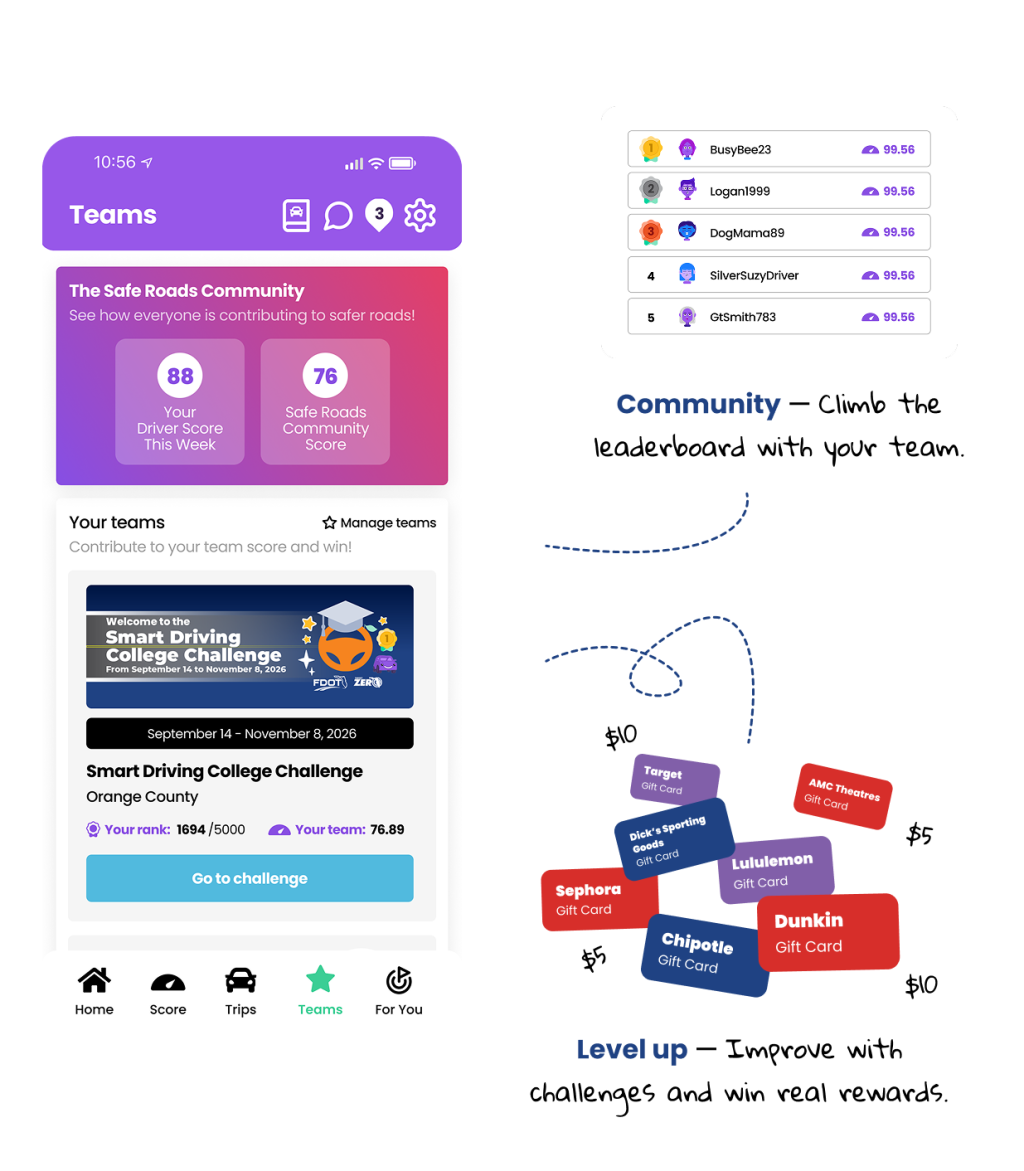
Create your Safe Roads Challenge account and head to the Teams Tab. Tap Manage Teams and enter the code for your school to join!

Drive safe. Get paid. Help your school win big.

The Smart Driving College Challenge is a Florida Department of Transportation (FDOT) District Five initiative that rewards college students, faculty, and staff for safe, distraction-free driving. Download the free Safe Roads Challenge app, drive safely, log your trips, and earn real prizes while helping your campus climb the leaderboard.

For You > Quests

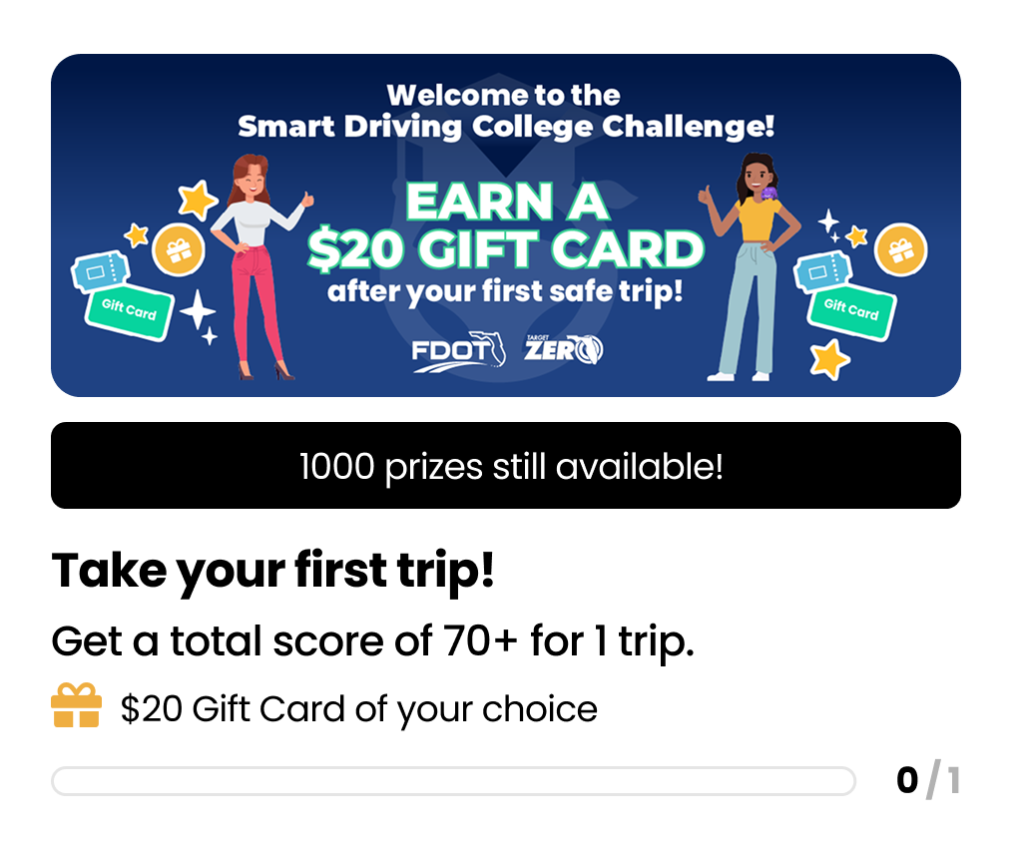
Join your team & redeem $20 after your first safe trip

Joining your team unlocks your school’s private leaderboard and rewards only your campus can win. Complete your first safe trip to instantly claim a $20 gift card of your choice from over 380+ national brands.*

*Limited to the first 1,000 participants across all six schools.

Win Amazing Rewards

First Safe Trip

Instantly redeem $20 for taking your first safe trip!

Referral Rewards

Look for our table at on-campus events!

Daily Draws

We're giving six students per day a $25 gift card!

Midway Prize

Six students will win $100 for safe driving!

Student Grand Prize

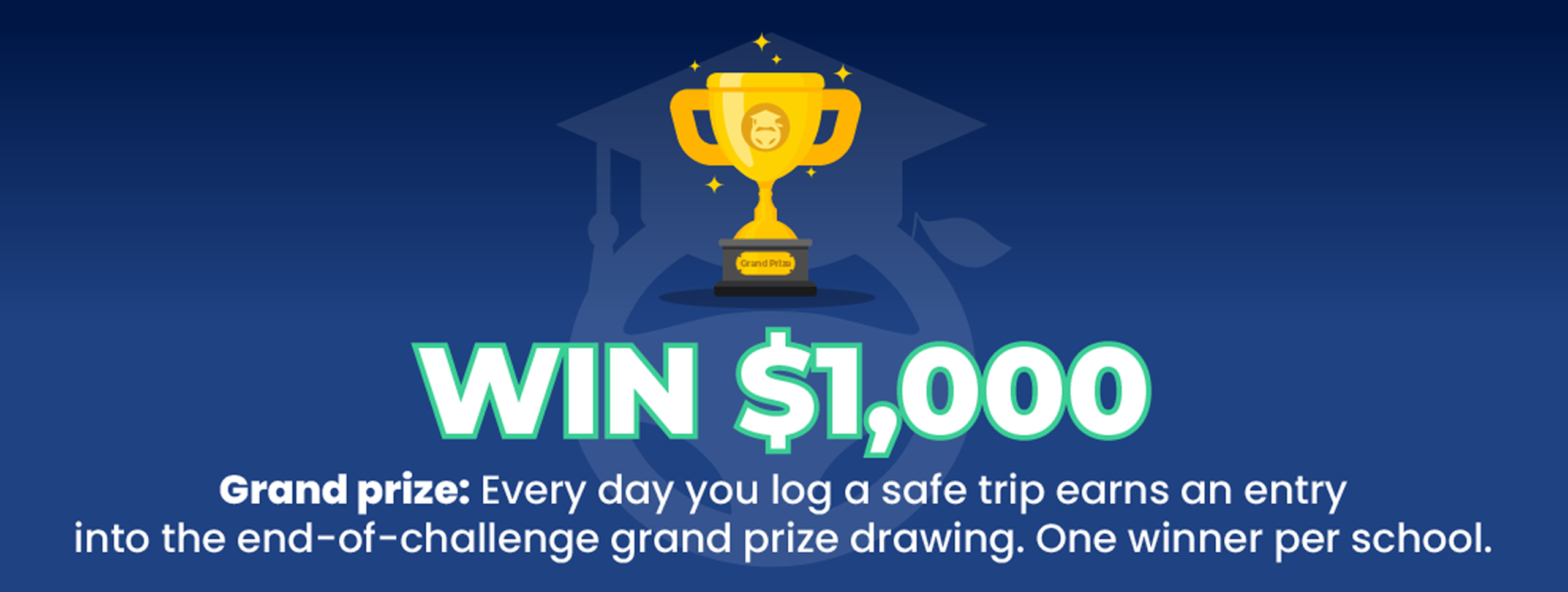
One winner per school will take home $1,000 when the Challenge ends in November! Every day you log a safe trip earns an entry.

College Grand Prize

The school with the highest average team driving score will win $3,000 to fund safe driving activities and promotions at your campus!

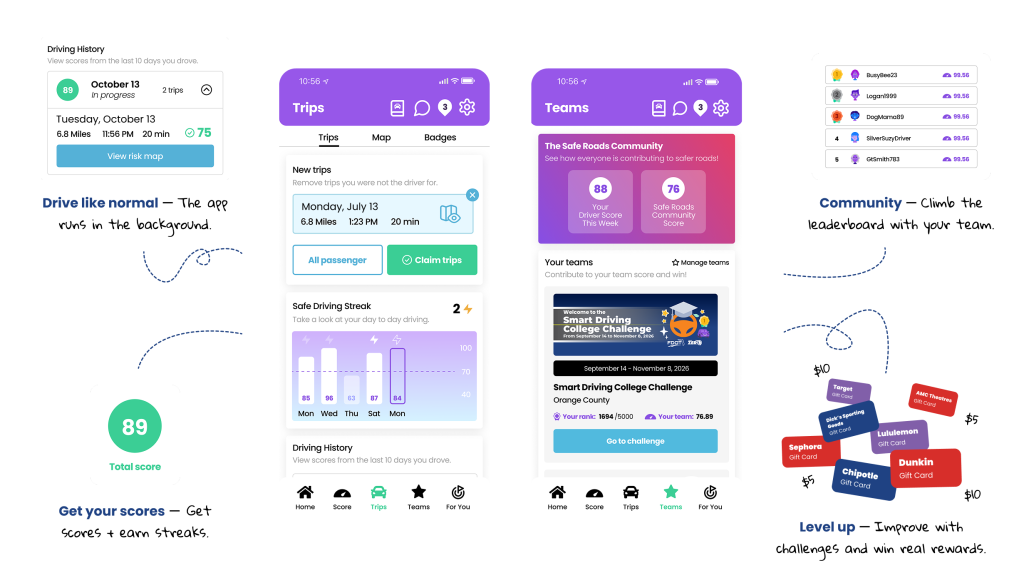
Turn Your Driving Into a Game — One You Can Win

Win real rewards by improving your driving skills and completing challenges.

Don't drive every day?

Biking, scooters, public transit, and carpooling all count and can earn you entries to the Eco Contest!

Earn Rewards From Top Brands

Every safe driving day earns you another chance to win. Prizes include gift card credit that you can redeem at over 380+ national brands.

Daily prize draws

Gift card rewards

Quests

Frequently Asked Questions

Any student, faculty, or staff member at one of the participating Orange County schools may join, provided they have a valid learner permit or driver license. Friends, family, and community members can also join a school's team and count toward that school's score.

Yes! The challenge is completely free to join!

Safe Roads Challenge does not send or sell user's personal information, location data, or individual performance data to anyone, including your insurance company. For full privacy policy, see: https://saferoadschallenge.com/privacy-policy/

No. The app is designed to use very minimal battery and data. Trips are recorded efficiently in the background, and we delay processing until after your drive is complete. If you connect to Wi-Fi, the app will use Wi-Fi to upload trip data instead of cellular whenever possible - helping reduce data usage even further.

The first step is joining your school's team. To do that, click the Teams Tab from the bottom navigation bar. Then tap Manage Teams and enter your school's code to join the team:

Advent Health University: AHUDRIVE
Full Sail University: FSUDRIVE
University of Central Florida: UCFDRIVE
Valencia College: VCDRIVE


After you've joined the team, you'll see the Smart Driving College Challenge in Your Teams list. Tap "Go to challenge" to view the leaderboards and challenges associated to your team.

To view the $20 sign up bonus in the app, click the For You tab on the bottom navigation bar. You'll be brought to the Quests page and should see a Quest titled "Take your first safe trip!".

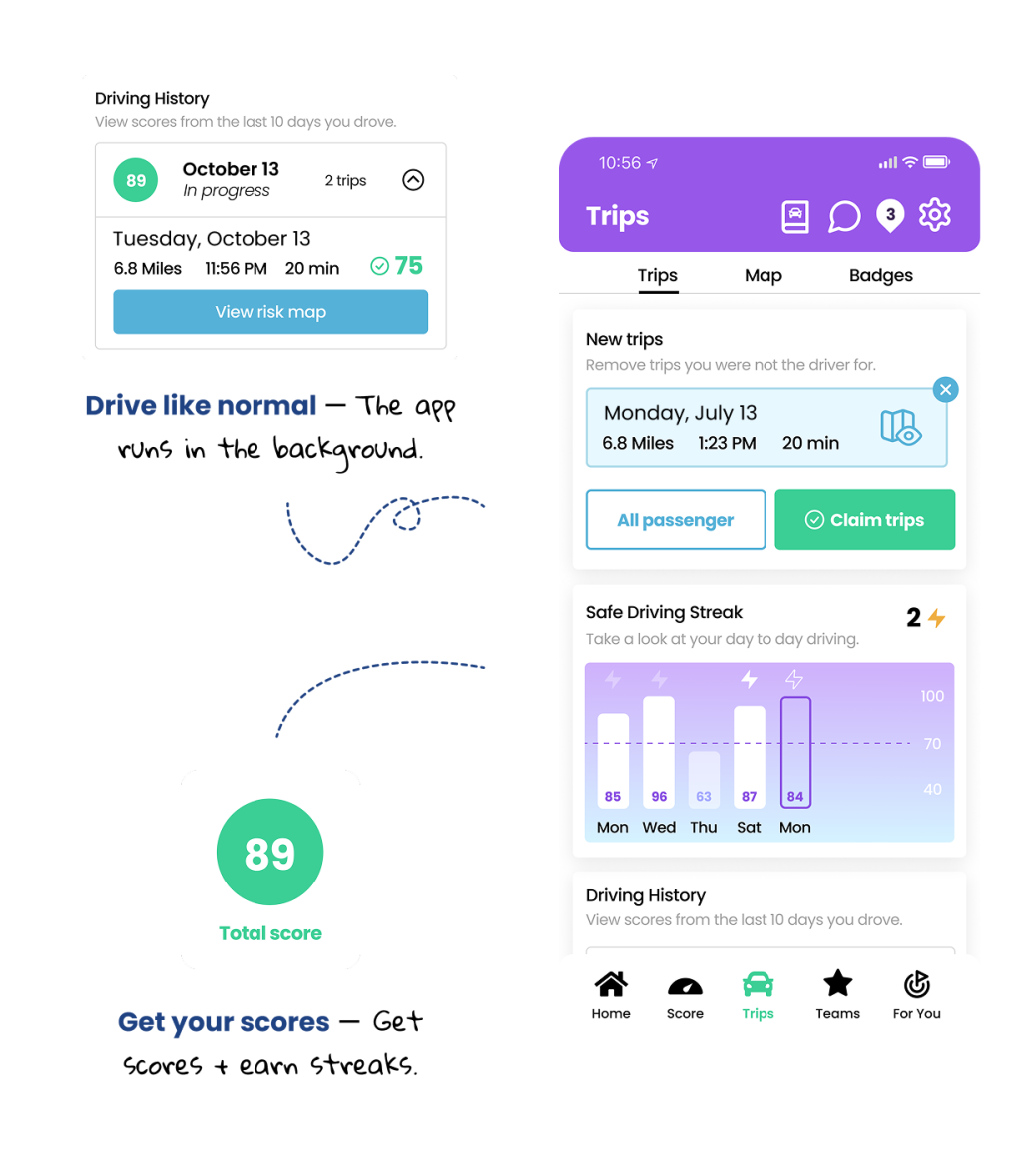
Once you have taken a drive, claim your trip on the Trips tab, and if you scored 70+ overall, you will see the Quest's progress bar complete. Tap the green "Claim" button on the Quest and you're done! Safe Roads Challenge will email you the gift card credit automatically to the email address associated with your account.

Read help articles and submit a support request directly to the Safe Roads Challenge team. Support can be reached at https://support.saferoadschallenge.com/hc/en-us or from the Settings section of the app.

iOS Users: Go to your device's settings, scroll down to Safe Roads Challenge, click on Location, select 'Always' for location access, and turn the 'Precise Location' toggle on. The next step is to ensure that your Motion & Fitness is set to On. To find the Motion and Fitness setting go to device settings select Privacy & Security, go to Motion & Fitness and click Fitness Tracking to On.  In addition to these settings, low power mode needs to be turned off as that will interfere with Trips recording in the background of your phone.

Android Users: Go to your device's settings and scroll down to Apps. From there, find and select Safe Roads Challenge, turn your location on to 'Always Allow' and set your Motion and Fitness to On. For Trips to record properly, battery optimization has to be turned off for Safe Roads Challenge. To do this, return to the Apps section of settings, click on the 3 dots in the top right corner, select Special Access, choose Optimize Battery Usage, click on the dropdown beside 'Apps not Optimized' and choose All. Scroll down to Safe Roads Challenge and turn the toggle to Off.